
Your API Needs a Price Tag: Building Dynamic Cost Controls for Agentic Access with Apollo GraphQL
Your Graph Has a New Kind of Consumer
If you’re running an enterprise GraphQL API, there’s a good chance AI agents are already consuming it, or they will be soon. Internal copilots, customer-facing AI features, third-party integrations built on LLMs. These aren’t humans clicking through a dashboard. They’re automated systems firing off queries at a pace and volume that traditional rate limiting wasn’t designed for.
And here’s the problem: a simple request-per-second rate limiter treats all queries the same. But we know that’s not how GraphQL works. A query that fetches a single user’s name and a query that fans out across five subgraphs, pulls 200 records, and hits an external ML service are wildly different in terms of actual cost. Treating them equally is like charging the same toll for a bicycle and an 18-wheeler.
So the question becomes: how do you meter, budget, and control the cost of agentic access to your graph?
If you’re on Apollo, you actually have the primitives to build this today. Let me walk through how.
Why GraphQL Has an Edge Here
Before we jump into the implementation, it’s worth understanding why GraphQL is uniquely positioned for this kind of cost metering.
REST APIs are kind of a black box from a cost perspective. You can count requests, sure, but a GET /users that returns 10 records and a GET /users?include=orders,payments,history that triggers joins across five tables look identical at the HTTP layer. You can’t score the cost of a request without building custom instrumentation for every endpoint.
GraphQL is different. The operation itself is a declarative description of what the client wants. The schema describes the shape and cost of every field. The router can analyze the operation before executing it and produce a cost score that reflects the actual work required.
That right there is the foundation of usage-based metering.
Layer 1: Schema-Level Cost Annotations
Apollo Federation supports two directives from the IBM GraphQL Cost Directive specification that let subgraph teams declare the true cost of their fields at the source. This is where cost metering starts, at the people who actually know what their resolvers do.
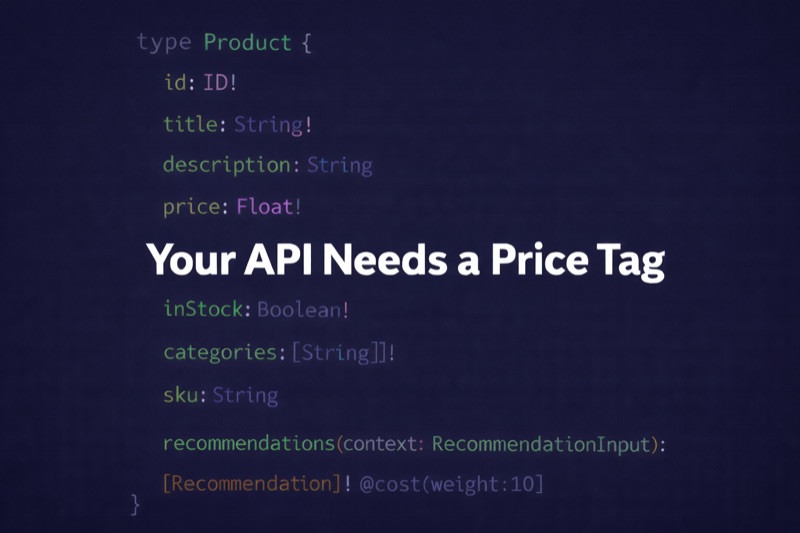
@cost(weight: Int!) overrides the router’s default scoring. By default, object types cost 1 and scalars cost 0. But if a field hits an external API, runs an aggregation, or calls a metered third-party service, the owning team can annotate it:
type SupportTicket @key(fields: "id") {
  id: ID!
  messages(limit: Int!): [Message]
    @listSize(slicingArguments: ["limit"])
  resolution: Resolution @cost(weight: 3) # calls ML classification service
  sentiment: SentimentScore @cost(weight: 5) # external NLP API
}

type Message {
  content: String
  author: Agent
  timestamp: DateTime
}
@listSize tells the router how big list fields will be. The slicingArguments variant is particularly important because it means the estimated cost scales proportionally to what the client actually requests via arguments like limit or first. An agent requesting 10 messages costs differently than one requesting 500.
What I really like about this is that it’s decentralized governance. Each subgraph team knows the cost profile of their resolvers and declares it in the schema. The router aggregates it into a single cost score for any arbitrary operation, including ones it’s never seen before. No central team has to manually catalog every possible query pattern.
Layer 2: Demand Control as the Metering Engine
With annotations in place, you enable demand control in the router:
demand_control:
  enabled: true
  mode: enforce
  strategy:
    static_estimated:
      list_size: 10
      max: 5000
      subgraph:
        all:
          max: 2000
        subgraphs:
          payments:
            max: 500
          ml_classification:
            max: 300
Note: Start in
measuremode to establish baselines before enforcing. The router calculates costs and emits telemetry without rejecting anything. Trust me, you’ll want to see the numbers before you start blocking requests.
The telemetry is where this gets operationally powerful. Three built-in instruments (cost.estimated, cost.actual, and cost.delta) attach to histograms, spans, and log events:
telemetry:
  instrumentation:
    instruments:
      supergraph:
        cost.estimated:
          attributes:
            cost.result: true
            graphql.operation.name: true
    events:
      supergraph:
        COST_DELTA_HIGH:
          message: "cost delta exceeded threshold"
          on: event_response
          level: warn
          condition:
            gt:
              - cost: delta
              - 500
This feeds into Prometheus, Datadog, or whatever your team runs. It’s not just a security mechanism. It’s the data layer you need to build cost attribution, chargeback models, or even external billing.
Layer 3: Coprocessors for Dynamic Budget Management
Alright, here’s where things get really interesting.
Demand control gives you static limits, which is great for a baseline. But real enterprise usage needs dynamic, per-client budgets. An internal analytics agent gets one budget. A partner integration gets another. A free-tier external consumer gets something much smaller. You get the idea.
Coprocessors solve this. A coprocessor is an external HTTP service the router calls at various stages of the request lifecycle. Hook into SupergraphService to check budgets before any operation executes:
coprocessor:
  url: http://cost-budget-service:8080
  timeout: 100ms
  supergraph:
    request:
      context: true
      headers: true
      body: true
Your coprocessor receives the router context (including the demand control cost estimate), identifies the client from auth headers, looks up their remaining budget from Redis, and decides whether to allow or reject the request. If the estimated cost exceeds the client’s remaining budget, the coprocessor returns a break response with a structured error:
{
  "control": { "break": 429 },
  "body": {
    "errors": [{
      "message": "Operation cost exceeds remaining budget",
      "extensions": {
        "code": "COST_BUDGET_EXCEEDED",
        "estimatedCost": 1850,
        "budgetRemaining": 1200
      }
    }]
  }
}
On the response side, the coprocessor reconciles estimated vs. actual cost and injects headers the client can read:
x-cost-estimated: 340
x-cost-actual: 280
x-cost-budget-remaining: 9660
This creates a feedback loop. A well-designed agent reads these headers and adjusts by fetching fewer items, skipping expensive fields, or batching operations to stay within budget. Pretty slick.
Layer 4: The Validate-Cost Tool
Now this is the most compelling piece for agentic access. Before an agent commits budget to an operation, it should be able to ask: “How much will this cost?” without executing anything.
Here’s the key insight: demand control calculates estimated cost during query planning, which happens before any subgraph requests are made. A coprocessor can intercept that estimate and short-circuit execution.
The pattern works like this: the agent sends a real query with an X-Cost-Estimate-Only: true header. The coprocessor sees the header, reads the cost estimate from the router context, and returns immediately with a break response. No subgraphs are called. Zero execution cost. The agent gets back:
{
  "data": {
    "_costEstimate": {
      "estimatedCost": 1850,
      "budgetRemaining": 4200,
      "budgetLimit": 10000,
      "wouldExceedBudget": false
    }
  }
}
The agent can now make an informed decision: reduce the limit, drop expensive nested fields, or proceed knowing the cost. It can check multiple query shapes before committing any budget.
This is fundamentally different from how traditional clients work. A React app sends a fixed query and hopes it’s efficient. An agent with a validate-cost tool can optimize its own queries against a budget constraint in real time. For enterprise teams, this means agents that self-govern rather than requiring manual query review.
Layer 5: Apollo MCP Server as the Agent Gateway
If you’re exposing your graph to AI agents, Apollo’s MCP Server is worth looking at. It translates GraphQL operations into MCP tools that AI models can discover and invoke. Claude, ChatGPT, or custom agents connect via the Model Context Protocol and get structured access to your graph.
The MCP Server supports three tool-generation strategies: operation files, persisted query manifests (pre-approved operations from GraphOS), and schema introspection. For enterprise cost control, persisted queries are the strongest option because they expose a curated, pre-costed set of operations rather than giving agents free rein over your schema.
The validate-cost pattern naturally becomes an MCP tool:
{
  "name": "estimate_query_cost",
  "description": "Check the cost of a GraphQL query before executing. Returns estimated cost and remaining budget. Use this before expensive queries.",
  "inputSchema": {
    "type": "object",
    "properties": {
      "query": { "type": "string", "description": "The GraphQL query to estimate" },
      "variables": { "type": "object", "description": "Variables — important for list sizing" }
    },
    "required": ["query"]
  }
}
The MCP Server also ships with OpenTelemetry integration, giving you per-agent observability: which tools are called, frequency, response times, and error rates. Combined with the router’s demand control telemetry, you get a complete picture of agentic consumption across your graph.
Here’s how the full architecture looks end-to-end:
(Claude, GPT, custom agents)"] MCP["Apollo MCP Server
Tools: resolveTicket, getTickets, estimateCost"] OTel["OTel → Datadog / Prometheus / Grafana"] Router["Apollo Router
@cost + @listSize → Demand Control
↓
Coprocessor → Budget Check (Redis)
↓
Execute or Break (dry-run / over-budget)
↓
Response + cost headers"] SubA["Subgraph A
@cost @listSize"] SubB["Subgraph B
@cost @listSize"] Agent -->|MCP Protocol| MCP MCP -->|Telemetry| OTel MCP -->|GraphQL| Router Router --> SubA Router --> SubB
Why This Matters for Enterprise Teams
There’s a broader industry shift happening behind all of this. Gokul Rajaram, former product leader at Google, Facebook, Square, and DoorDash, recently pointed out on Invest Like the Best that software companies pricing on per-seat models are the most exposed right now. His example was Zendesk: a customer goes from 50 seats to 20, with AI agents picking up the rest. Same value delivered, fewer seats purchased.
His argument is that the market is moving toward outcome-based and usage-based pricing. And the companies that can’t meter at the operation level will be stuck defending access (cutting off APIs, charging flat per-call fees) rather than building sustainable models around it.
For enterprise GraphQL teams, the takeaway is practical: if your graph is going to serve agents, internal or external, you need metering infrastructure now, not later. The tools covered here aren’t theoretical. They’re shipping features in Apollo Router and GraphOS today:
@costand@listSizelet subgraph teams declare cost at the source- Demand control meters and enforces at the router
- Coprocessors implement dynamic, per-client budgets
- Apollo MCP Server gives agents a structured, observable gateway
- Telemetry feeds it all into your observability and billing systems
The graph isn’t just your API layer anymore. It’s your metering plane, and the sooner you treat it that way, the better positioned you’ll be when agent traffic goes from trickle to flood.